
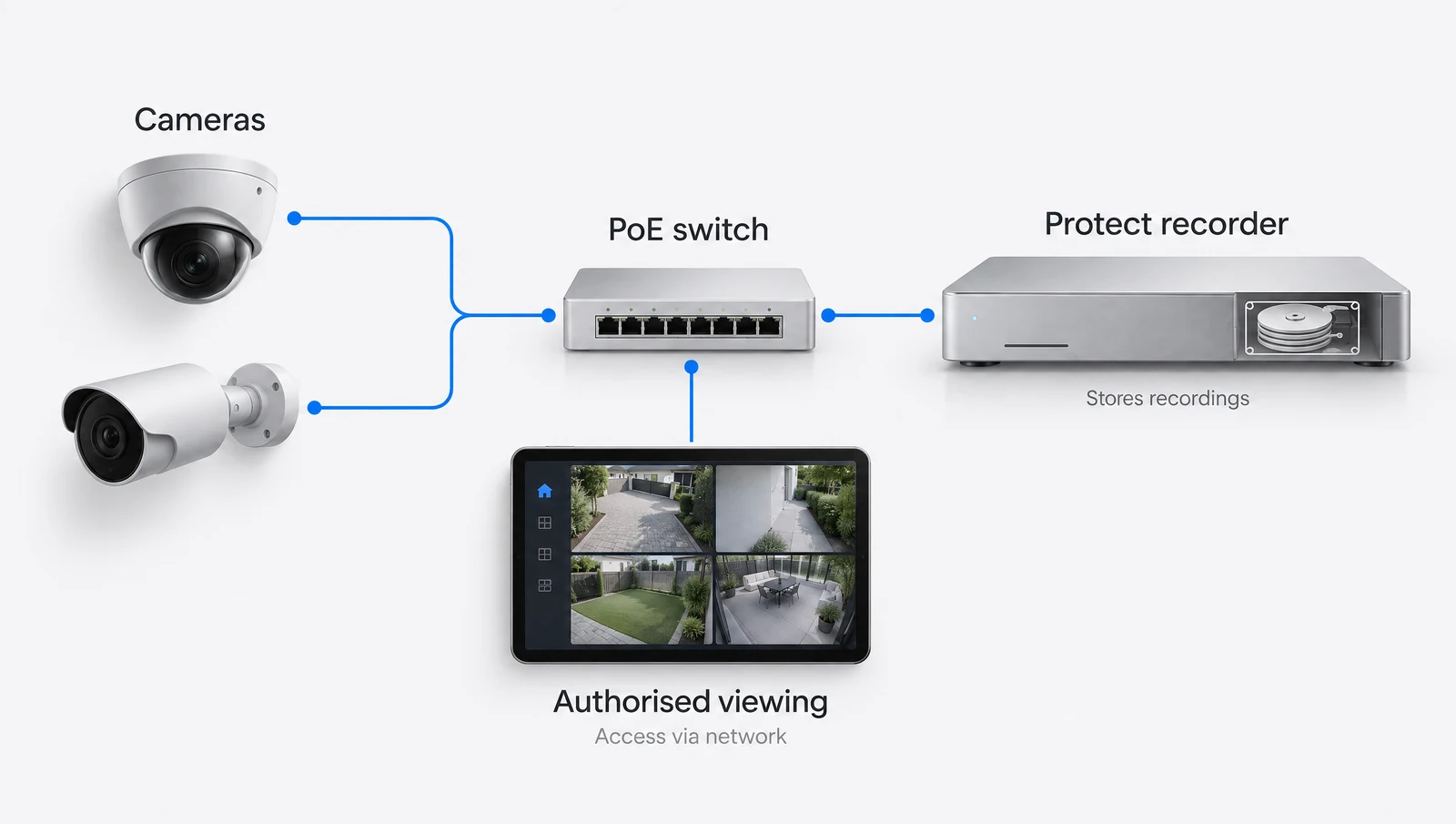
Describe the view you need.
Begin with the task at each location: seeing a person at an entrance, covering a vehicle route or observing a wider area. Mounting height, distance, available light and obstructions affect the useful image. A resolution figure alone does not establish the detail you will see from a proposed position.
For a PTZ camera, discuss its usual viewing direction and how other areas will be covered when it turns or zooms. It cannot look in every direction at once. Camera placement and recording design should be considered together.
Check the recorder and supported cameras.
The exact console or recorder determines application support, drive options and camera capacity. Review the manufacturer information for the models being combined. If an existing recorder is staying, confirm its available capacity and software support before adding cameras.
The installation also needs suitable network connections and power. Map the cable route to each camera and check the required PoE standard, where applicable. Weather exposure and access for maintenance affect the mount and cable entry.
Define retention before promising a number.
The number of cameras, recording mode, image settings and usable storage all affect how much footage can be retained. A drive size on its own is not a retention guarantee. Redundancy arrangements can also change the usable capacity.
Describe the periods you need to review and whether recording should be continuous or use supported event settings. The final design should state the assumptions used. Review actual storage use after commissioning rather than relying on an unsupported fixed number of days.
Include playback and permissions in handover.
Decide who needs live viewing, playback, exports and administrator access. The property operator should agree those roles before the system is handed over. Test the intended tasks on authorised devices and explain account ownership and recovery.
Camera positioning and use also need to suit the property and its occupants. Raise any shared boundaries or sensitive areas during the assessment so the scope can address them. This guide does not substitute for advice about a particular privacy or workplace requirement.
Bring these details to your assessment.
- Purpose and viewing area for each camera
- Mounting position and lighting
- Compatible recorder and supported capacity
- Drive configuration and retention assumptions
- Cable routes and endpoint power
- Authorised viewers, playback and export needs
Manufacturer references
Reviewed 2026-10-12. Product specifications and regional support should be checked before procurement.