
Start with the property and the job.
A useful equipment list starts with what the property needs to do. A home may need reliable wireless access in several rooms and cameras at the entrances. A workshop may need separate staff and guest networks, a link to another building and controlled access at a gate. Write those requirements down before choosing a gateway or counting access points.
For an initial discussion, send the suburb, property type, a floor plan if available and photographs of the current communications equipment. Identify places where the existing system falls short and any planned building work that could affect the cable routes.
Follow the connection through the system.
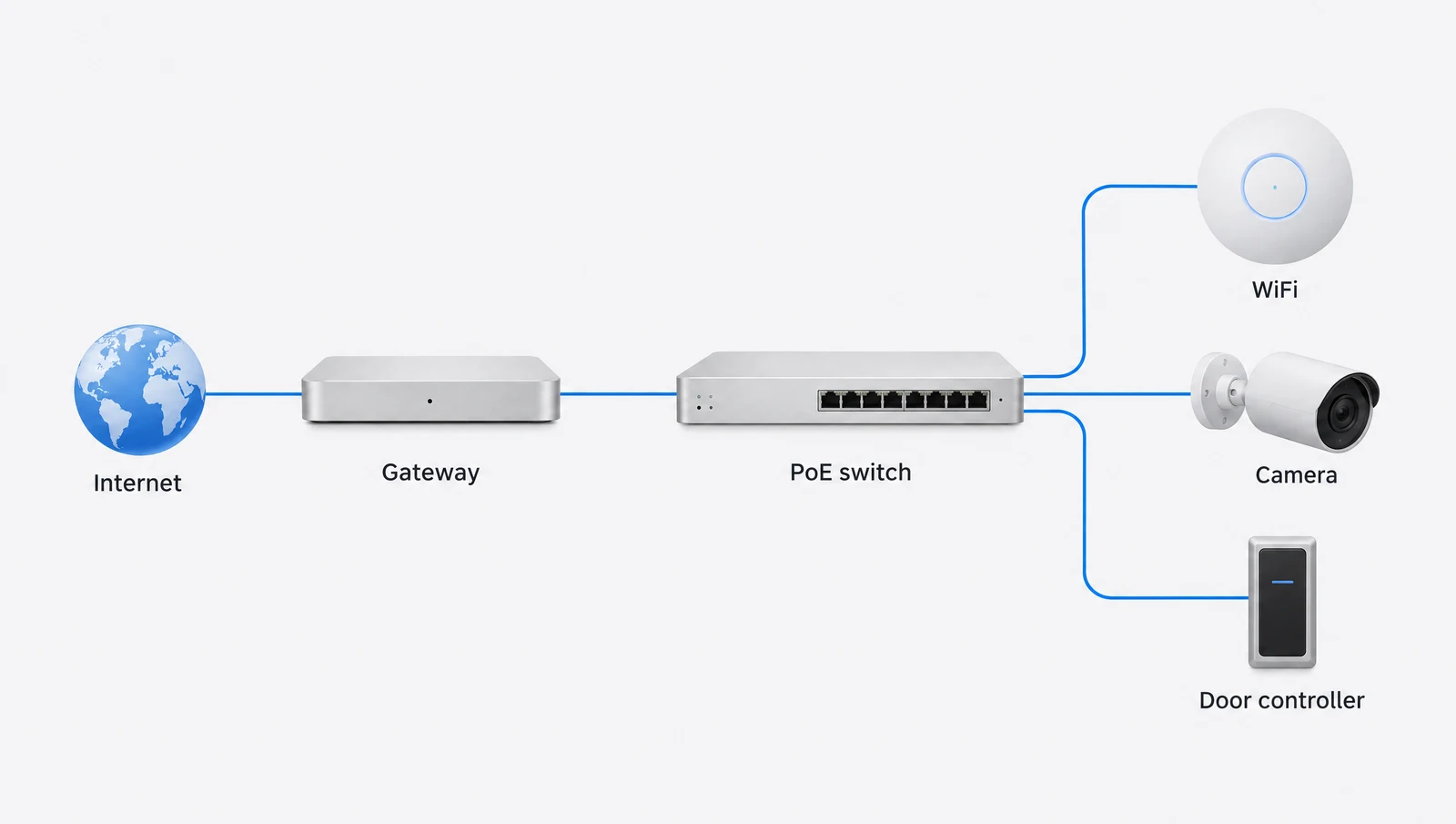
The gateway, switches and endpoints each have a different job. The gateway connects and manages the network; switches provide the wired connections; access points serve wireless devices. Cameras and access hardware add their own network, power and application requirements.
The conceptual diagram above shows those relationships. It does not mean every site needs a separate device for each role. Some consoles combine functions, and the exact model determines which applications and connections are supported.
Resolve the physical details early.
Cabinet position, rack capacity, ventilation and power should be assessed alongside the cable route. Existing cabling may be usable, but its condition and supported link speed need checking. Access points and cameras need mounting locations that suit their purpose and can be reached for servicing.
For door access, include the door or gate hardware and normal exit arrangements in the assessment. A reader is only one part of the opening. Proposed access work should be scoped separately if the hardware or commissioning requirements are still unknown.
Decide who will own and administer it.
Identify the person or business that will own the UniFi account, hold recovery details and approve administrator access. For a workplace, involve the existing IT provider before changing addressing, internet equipment or network segmentation.
The agreed handover should cover the functions installed, how to access them and which responsibilities remain with the owner. Ask for the scope to distinguish completed work from future provisions. A spare cable or reserved rack space is useful preparation, but it is not a commissioned service.
Bring these details to your assessment.
- Suburb and property type
- Floor plan and current equipment models
- Internet provider and connection location
- WiFi areas, camera views and intended access points
- Preferred work window and site access
- System owner and existing IT contact
Manufacturer references
Reviewed 2026-10-12. Product specifications and regional support should be checked before procurement.