Explore the equipment catalogue

Showing the first 40. Add a model name to narrow your search.

UMR-Industrial · Perth installation

UniFi Mobile Router Industrial
Installation Perth.

Plan your UniFi Mobile Router Industrial installation in Perth with Servicewest. We assess the site and supporting equipment before specifying UMR-Industrial.

  • Australian model and supported services
  • Network, mounting and power
  • Account ownership and maintenance
Request a site assessment Australian model, compatibility and procurement checked before the scope is confirmed.

Installing Mobile Router Industrial. Start with the site.

Define the job for Mobile Router Industrial.

We review what UMR-Industrial needs to do within your property and which UniFi applications or supporting devices it requires. Existing network capacity, mounting, account access and the Australian model are checked before the equipment list is finalised.

Installation details for UMR-Industrial

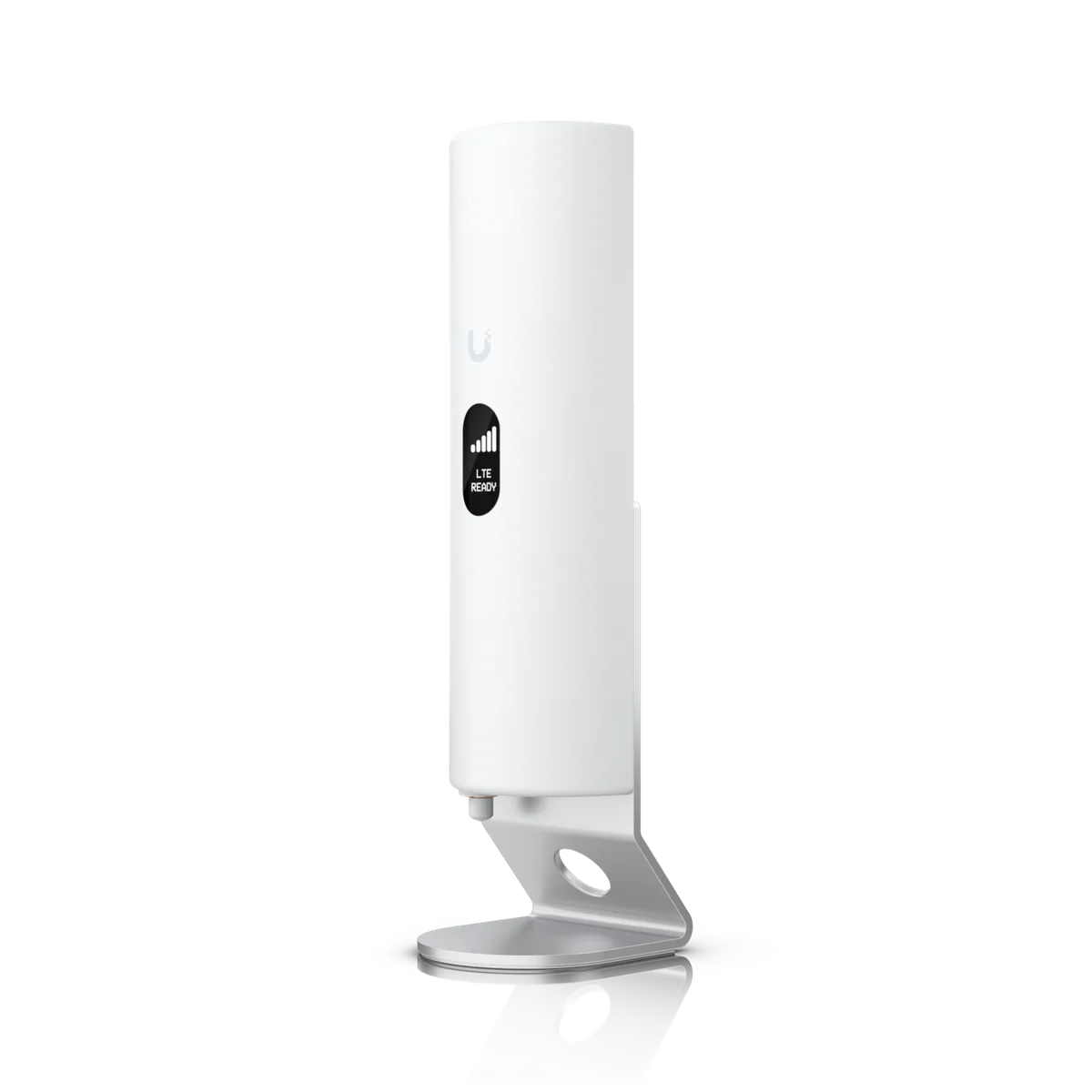
Power Method: PoE+ (48–54V DC) USB Type-C (5V DC) 4-pin ATX DC (9–30V DC). Max. Power Consumption: 12.5W. Networking Interface: (2) GbE RJ45 ports, LTE Cat 4 radio, WiFi 4. Mounting: DIN rail, Wall, Pole (Mounts Included). Weatherproofing: IP66 (Device with outdoor cover.). These manufacturer figures inform the mounting, connection and site assessment; we check the final model and supporting equipment before installation.

Check the supporting connections.

Cabling, supported interfaces and regional features are reviewed against the current manufacturer information. Any subscriptions, service dependencies or compatibility limits are identified in the scope before installation.

Document how the addition is used.

Configuration and testing cover the functions agreed for this installation. We explain the controls and assign ownership of routine administration, updates and any backup responsibilities. Supporting equipment is selected for this exact model.

Know the
equipment.

Manufacturer specifications for UMR-Industrial. Check the selected model, regional version and current software requirements during assessment.

View manufacturer source
Overview
DimensionsWithout antennas and outdoor cover: 114.5 x 93.6 x 32 mm (4.5 x 3.7 x 1.3") With antennas: 213 x 93.6 x 32 mm (8.4 x 3.7 x 1.3") With antennas and outdoor cover: 217 x 94 x 32 mm (8.5 x 3.7 x 1.3")
Networking Interface(2) GbE RJ45 ports, LTE Cat 4 radio, WiFi 4
SIMNano SIM
LTE BandsB2, B4, B5, B12, B13, B14, B25, B26, B66, B71
PoE Interface(1) PoE input (1) PoE output (Max. 10W, requires PoE+ switch)
MountingDIN rail, Wall, Pole (Mounts Included)
WeatherproofingIP66Device with outdoor cover.
Mechanical
WeightDevice: 360 g (12.7 oz) Device with outdoor cover: 395 g (13.9 oz) DIN rail/wall mounts: 25 g (0.9 oz)
Enclosure MaterialPolycarbonate, aluminum
Mount MaterialWall, Pole, DIN Rail Mount: Polycarbonate
Pole Mount Diameter1–2" (25–50 mm) on pipe outer diameter
Wind Loading38.8 N at 200 km/h (8.7 lbf at 125 mph)
Features
WiFi StandardWiFi 42.4 GHz, 20/40 MHz
Networking
802.11n6.5 Mbps to 300 Mbps (MCS0 - MCS7, HT 20/40)
802.11g6, 9, 12, 18, 24, 36, 48, 54 Mbps
802.11b1, 2, 5.5, 11 Mbps
Hardware
ManagementEthernet WiFi
LTE Throughput SpeedDownload 150 Mbps / Upload 50 Mbps
Ports(1) Mobile 1: SMA female (1Tx/1Rx) (1) Mobile 2: SMA female (1Rx) (1) GPS: SMA female (2) WiFi: RP-SMA female
Type(2) External LTE antenna (2) External WiFi (1) External GPS
Max. TX Power22 dBm
WiFi MIMO2 x 2
Max. Power Consumption12.5W
Power MethodPoE+ (48–54V DC) USB Type-C (5V DC) 4-pin ATX DC (9–30V DC)
Power SupplyUSB Type-C, 5V DC, 3A (Adapter included)
Buttons(1) Factory reset
Ambient Operating Temperature-40 to 70° C (-40 to 158° F)
Ambient Operating Humidity5 to 95% noncondensing
CertificationsFCC, IC, PTCRB, GCF, AT&T, T-Mobile, Verizon, Wi-Fi Alliance®

Plan the supporting equipment. Check the complete system.

Related catalogue items to discuss. Compatibility is checked against the exact model and site design.

A few practical questions.

Can you assess Mobile Router Industrial for an existing system?
Yes. Include UMR-Industrial, your existing console or host equipment, and a brief description of the work in your enquiry. We check compatibility, capacity and site access before confirming the installation scope.
What should I send for a Mobile Router Industrial assessment?
Send your suburb, property type, the intended location and any existing equipment model numbers. Australian model and supported services and network, mounting and power are useful starting points. Photographs of the proposed location can help with the initial discussion.
Does this page confirm Australian stock or a fixed installation price?
No. This catalogue uses manufacturer product references. We confirm the suitable Australian model, procurement options and a site-specific scope before quoting.

Keep planning.

Let’s look at your site.

Good installations
start with a conversation.

Tell us your suburb, your property and what you want to connect. We’ll work through the equipment and the installation with you.