Explore the equipment catalogue

Showing the first 40. Add a model name to narrow your search.

UTP-TouchMax-US · Perth installation

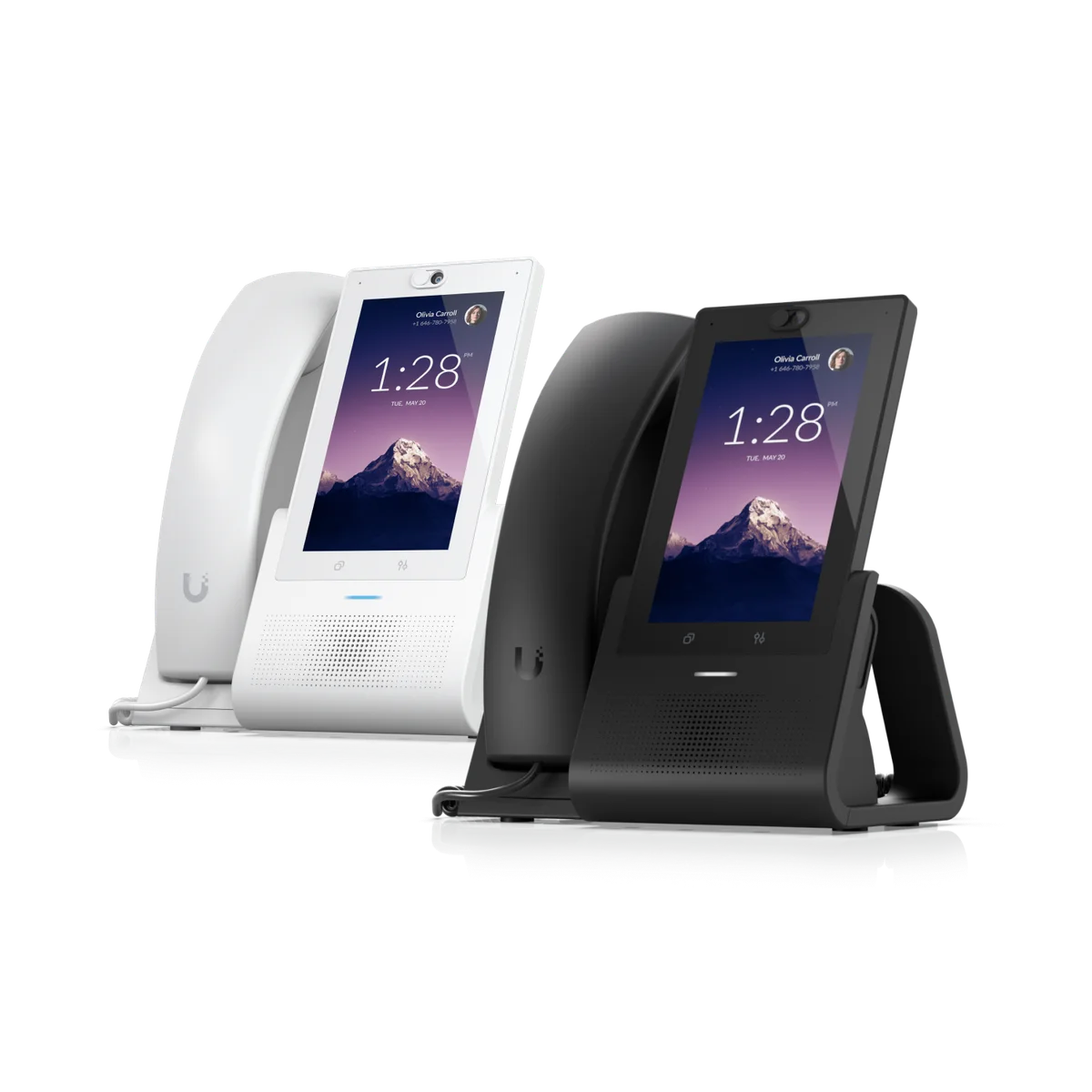
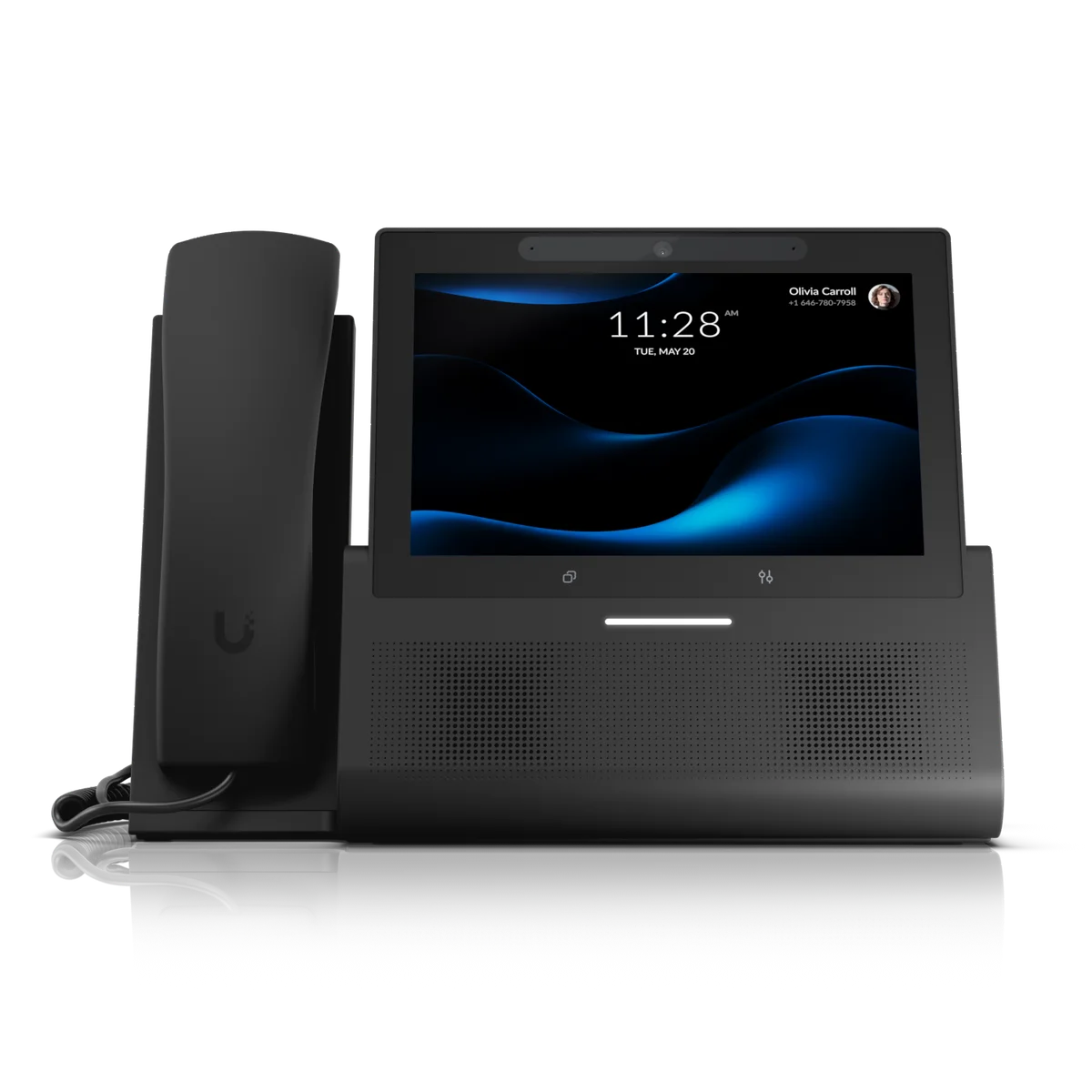
UniFi Phone G2 Touch Max
Installation Perth.

Plan your UniFi Phone G2 Touch Max installation in Perth with Servicewest. We assess the site and supporting equipment before specifying UTP-TouchMax-US.

  • Australian model and supported services
  • Network, mounting and power
  • Account ownership and maintenance
Request a site assessment Australian model, compatibility and procurement checked before the scope is confirmed.

Subscription: Subscription Unlocked

Color: Black · White

Installing Phone G2 Touch Max. Start with the site.

Define the job for Phone G2 Touch Max.

We review what UTP-TouchMax-US needs to do within your property and which UniFi applications or supporting devices it requires. Existing network capacity, mounting, account access and the Australian model are checked before the equipment list is finalised.

Installation details for UTP-TouchMax-US

Power Method: USB type-C PoE+. Max. Power Consumption: 15W. Mounting: Desktop. Dimensions: 255 x 135 x 183 mm (10 x 5.3 x 7.2"). Ambient Operating Temperature: 0 to 40° C (32 to 104° F). These manufacturer figures inform the mounting, connection and site assessment; we check the final model and supporting equipment before installation.

Check the supporting connections.

Cabling, supported interfaces and regional features are reviewed against the current manufacturer information. Any subscriptions, service dependencies or compatibility limits are identified in the scope before installation.

Document how the addition is used.

Configuration and testing cover the functions agreed for this installation. We explain the controls and assign ownership of routine administration, updates and any backup responsibilities. Supporting equipment is selected for this exact model.

Know the
equipment.

Manufacturer specifications for UTP-TouchMax-US. Check the selected model, regional version and current software requirements during assessment.

View manufacturer source
Overview
Dimensions255 x 135 x 183 mm (10 x 5.3 x 7.2")
MountingDesktop
Touch Screen TechnologyMulti-Touch
Available ColorsBlack White
Mechanical
Weight1.5 kg (3.4 lb)
Enclosure MaterialPlastic, aluminum (base)
Hardware
Connectivity(2) GbE RJ45 ports 802.11 a/b/g/n/ac WiFi Bluetooth® 4.2
Power MethodUSB type-C PoE+
Max. Power Consumption15W
ProcessorOcta-core ARM® Cortex®-A53
MemoryStorage: 32 GB RAM: 2 GB
Camera2592 x 1944, 5MP (Embedded Privacy shutter)
Screen Surface TreatmentsFingerprint-Resistant Coating
Size178 mm (7") diagonal
Resolution1280 x 800 HD
Hands-Free MicrophoneDual omnidirectional MEMS microphone
Hands-Free SpeakerDual 3W speaker
Handset MicrophoneOmnidirectional electret condenser microphone
Handset Dynamic ReceiverStandard wideband-capable audio
Buttons(1) Mute Button
Headset Support3.5 mm (0.14") audio jack
LEDWhite LED (Black version) Blue LED (White version)
NFC Frequency13.56 MHz
NFC Read Range<10 mm
NFC TechnologyNFC Tag 1, 2, 3, 4, 5 MIFARE Classic MIFARE Plus MIFARE Ultralight MIFARE DESFire
NFC StandardsISO 14443A, 14443B, 15693
Ambient Operating Temperature0 to 40° C (32 to 104° F)
Ambient Operating Humidity10 to 90% noncondensing
CertificationsFCC, IC, CE, Anatel

Plan the supporting equipment. Check the complete system.

Related catalogue items to discuss. Compatibility is checked against the exact model and site design.

A few practical questions.

Can you assess Phone G2 Touch Max for an existing system?
Yes. Include UTP-TouchMax-US, your existing console or host equipment, and a brief description of the work in your enquiry. We check compatibility, capacity and site access before confirming the installation scope.
What should I send for a Phone G2 Touch Max assessment?
Send your suburb, property type, the intended location and any existing equipment model numbers. Australian model and supported services and network, mounting and power are useful starting points. Photographs of the proposed location can help with the initial discussion.
Does this page confirm Australian stock or a fixed installation price?
No. This catalogue uses manufacturer product references. We confirm the suitable Australian model, procurement options and a site-specific scope before quoting.

Keep planning.

Let’s look at your site.

Good installations
start with a conversation.

Tell us your suburb, your property and what you want to connect. We’ll work through the equipment and the installation with you.