Explore the equipment catalogue

Showing the first 40. Add a model name to narrow your search.

UPS-2U-Pro-US · Perth installation

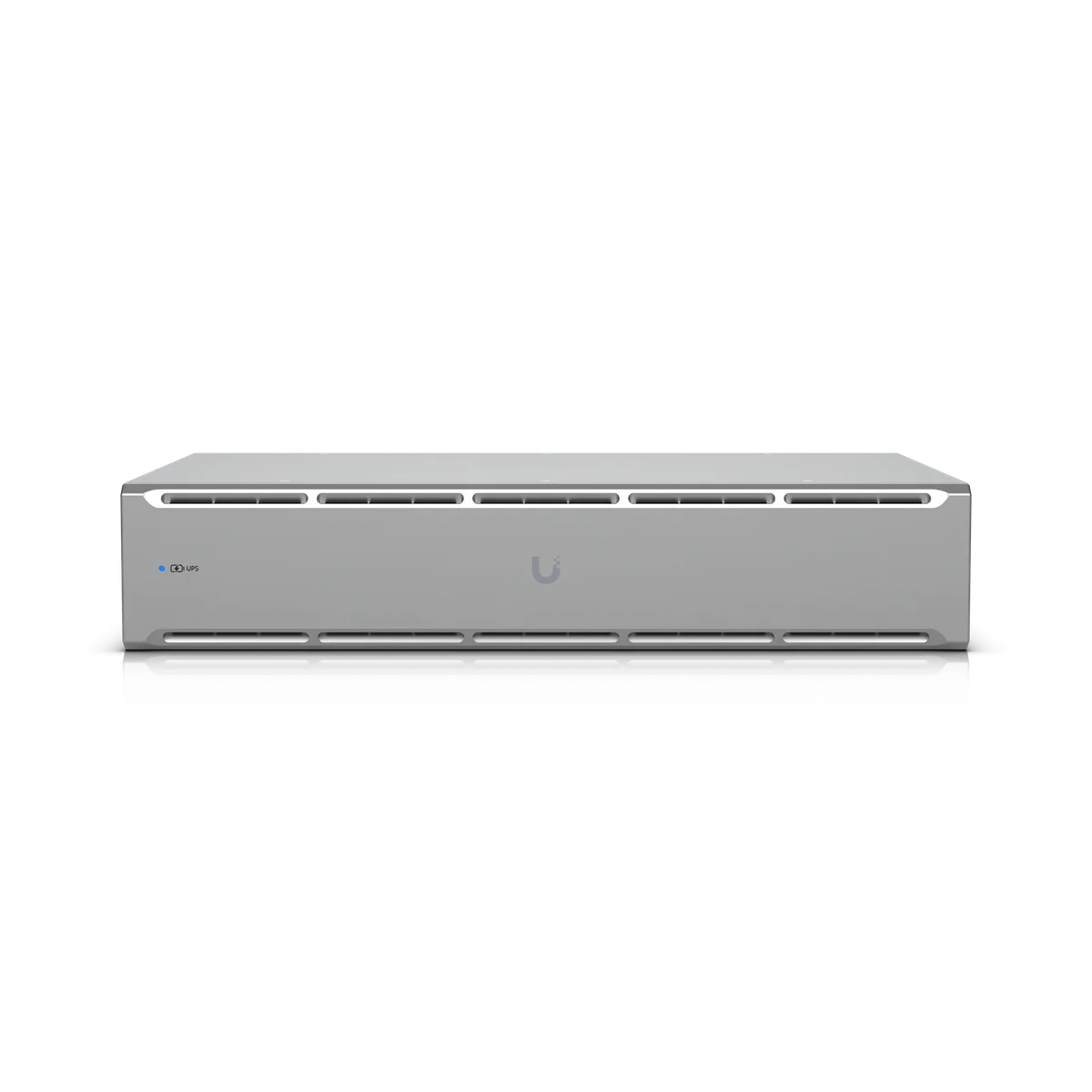
UniFi UPS 2U Pro
Installation Perth.

Plan your UniFi UPS 2U Pro installation in Perth with Servicewest. We assess the site and supporting equipment before specifying UPS-2U-Pro-US.

  • Australian model and supported services
  • Network, mounting and power
  • Account ownership and maintenance
Request a site assessment Australian model, compatibility and procurement checked before the scope is confirmed.

Installing UPS 2U Pro. Start with the site.

Define the job for UPS 2U Pro.

We review what UPS-2U-Pro-US needs to do within your property and which UniFi applications or supporting devices it requires. Existing network capacity, mounting, account access and the Australian model are checked before the equipment list is finalised.

Installation details for UPS-2U-Pro-US

Power Method: (1) TN system, 120V AC, 16A Max., 50/60 Hz. Networking Interface: (1) 100/10 MbE port for network connection (2) GbE ports for surge in/out. Weatherproofing: IP20. Dimensions: 442.4 x 87.4 x 630 mm (17.4 x 3.4 x 24.8"). Ambient Operating Temperature: 0 to 40° C (32 to 104° F). These manufacturer figures inform the mounting, connection and site assessment; we check the final model and supporting equipment before installation.

Review the load and the power arrangement.

Power connections, the intended load and the required backup function determine suitability. Runtime varies with the connected equipment and battery condition. We confirm the Australian configuration and installation responsibilities before specifying the unit.

Document how the addition is used.

Configuration and testing cover the functions agreed for this installation. We explain the controls and assign ownership of routine administration, updates and any backup responsibilities. Supporting equipment is selected for this exact model.

Know the
equipment.

Manufacturer specifications for UPS-2U-Pro-US. Check the selected model, regional version and current software requirements during assessment.

View manufacturer source
Mechanical
Dimensions442.4 x 87.4 x 630 mm (17.4 x 3.4 x 24.8")
Weight32 kg (70.5 lb)
Enclosure MaterialGalvanized steel
Form FactorRack mount (2U)
WeatherproofingIP20
Hardware
ManagementEthernet
Networking Interface(1) 100/10 MbE port for network connection (2) GbE ports for surge in/out
Power(1) OVC II AC in: NEMA 5‑20P (8) Battery backup/surge protection: NEMA 5‑20ROutlets are individually resettable
Capacity1920VA/1920W
TypeLine interactive
Input Voltage Range89–145V AC
Power Method(1) TN system, 120V AC, 16A Max., 50/60 Hz
Nominal Input Voltage120V AC
Output Voltage120V AC
Nominal Output Voltage120V AC
Frequency RangeAC mode: 50/60 Hz ±5 Hz (Auto sensing) Battery mode: 60 Hz ±1 Hz
AC Voltage Regulation±1.5% (Battery mode)
Transfer Time6 ms typical; 10 ms max. (Battery mode)
Wave FormPure sine wave (Battery mode)
Battery Type(1) Lead Acid 72V, 10Ah
RuntimeFull load: 9 min Half load: 22 min
Battery Charging Time8 hours recovery to 90% capacity
Overload at On-Line Mode103–120% 5 min go to fault 120–150% 10 sec go to fault 150% 1 sec go to fault
Overload at Battery Mode103–120% 1 min go to fault 120–150% 10 sec go to fault 150% 0.5 sec go to fault
Short Circuit Protection at On-Line ModeBreaker, 250V AC, 20A
Display3.7” touchscreen
Buttons(1) Power (1) Factory reset (1) Circuit breaker
StatusOff: device not turned on Flashing white: initializing / factory default Steady white: waiting for adoption Steady blue: device adoption and working Flashing blue: battery mode Alternating white/blue: firmware upgrading Rapid flashing blue: locate Steady red: warning Flashing red: low battery
Operating Altitude3,000 m (1.9 mi)
Operating EnvironmentPollution Degree 2
Ambient Storage Temperature-15 to 50° C (5 to 122° F)
Ambient Operating Temperature0 to 40° C (32 to 104° F)
Ambient Operating Humidity0 to 95% noncondensing
CertificationsFCC, IC, UL 1778, CSA C22.2 No. 107.3
Software
Mobile AppsiOS™: Version 10.36.1 and later Android™: Version 10.39.3 and later
UniFi NetworkVersion 10.5.67 and later

Plan the supporting equipment. Check the complete system.

Related catalogue items to discuss. Compatibility is checked against the exact model and site design.

A few practical questions.

Can you assess UPS 2U Pro for an existing system?
Yes. Include UPS-2U-Pro-US, your existing console or host equipment, and a brief description of the work in your enquiry. We check compatibility, capacity and site access before confirming the installation scope.
What should I send for a UPS 2U Pro assessment?
Send your suburb, property type, the intended location and any existing equipment model numbers. Australian model and supported services and network, mounting and power are useful starting points. Photographs of the proposed location can help with the initial discussion.
Does this page confirm Australian stock or a fixed installation price?
No. This catalogue uses manufacturer product references. We confirm the suitable Australian model, procurement options and a site-specific scope before quoting.

Keep planning.

Let’s look at your site.

Good installations
start with a conversation.

Tell us your suburb, your property and what you want to connect. We’ll work through the equipment and the installation with you.